


Idle Landlord Sim
4.8210.00 Reviews
App Specs
- Version
- 2.1.6
- Updated On
- License
- Free
- Downloads
- 1,000,000+
- Developer
- Warrior Game
- Categories
- Simulation
- Platform
- Android
Screenshots
 Analysis by AppCompare
I tend to enjoy idle games most when they fit into the gaps of an ordinary day rather than demanding a long, uninterrupted session. That is the lens I brought to Idle Landlord Sim: a mobile simulation game from Warrior Game built around growing a property business through rent, upgrades, and hands-off progress. Its appeal is easy to understand, but the more useful question is whether that light routine suits the way you actually play—and whether it works comfortably when a phone or tablet is shared at home.
A low-pressure game for small breaks
The basic loop makes sense for quick visits. You check how your properties are doing, collect what has accumulated, and decide where to put the next upgrade. That makes the game a reasonable fit for a short break between errands or a quiet moment after dinner. I would not treat it as a game that needs constant attention; its idle structure is meant to let progress continue between visits, while taps give you a little control over how it develops.
A realistic household example is someone opening the game while waiting for a meal to finish, then returning later to make one or two upgrade decisions. That is a better fit than passing the device around every few minutes, because the person playing can keep track of their own choices and progress. If you enjoy comparing small gains over several brief sessions, the landlord theme gives those check-ins a clear purpose. If you want a story, a demanding challenge, or a game that rewards precise play every moment, this may feel too relaxed.
Shared devices need a simple boundary
On a shared phone or tablet, I would agree on whose game session it is before starting. The central pleasure is building a property portfolio, and another person tapping through upgrades or collecting income can change the pace of that personal run. I would not assume that a household can create separate player spaces or child-specific settings; the practical approach is to use the device’s own account and profile arrangements where available and avoid treating a shared game as a shared save.
That boundary matters most when someone else is curious and wants to “help.” A useful routine is to let one person make the spending and upgrade decisions, while others can watch or talk through the choices without tapping. It keeps the game’s progression understandable and avoids the familiar shared-device confusion of not knowing who changed what. For a family that enjoys taking turns in a game with a clear round or match, a conventional party or puzzle game may be easier to share than an idle business sim.
Progress is more satisfying when you make deliberate choices
The central trade-off is between convenience and involvement. Idle income makes it easy to come back without having to rebuild momentum from scratch, but collecting and upgrading can become a repeated routine if you tap through without thinking. I get more from the loop when I pause long enough to consider whether a purchase will help my current property or support a broader expansion. Even without turning each visit into a spreadsheet exercise, choosing a purpose for the session makes the steady progress feel less automatic.
That is also a useful way to pace play for younger or easily distracted players: a short check-in with one clear goal is more satisfying than opening the game repeatedly just to tap. I would avoid making the game a household chore or tying real-world rewards to in-game progress. It works best as optional downtime, not as a task that someone has to complete on behalf of the group.
Worth Reading Before You Choose

EA SPORTS FC Mobile 26 Is a Bigger Football Game, but It Takes Time

Flipboard Shows What News Apps Must Do Beyond the Feed

Switching to Android Auto Means Rethinking Your Driving Routine

Google Calendar Makes a Crowded Week Easier to Manage

Ludo King Makes the Most of the Minutes Between Plans

Baby Panda World Brings Quick Play to Modern Phones, but Its Game Library Feels Busy
How the landlord loop feels in practice
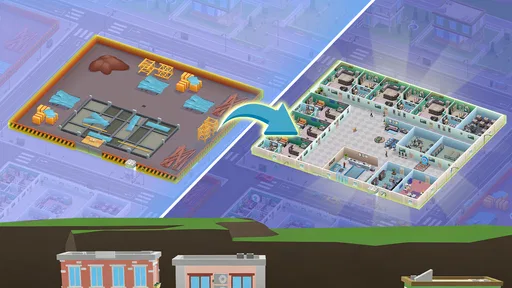
Jumping into Idle Landlord Sim is as easy as pie. You start with a modest property, and your goal is to grow your real estate empire. The game’s interface is super user-friendly, making it a breeze even for those who aren’t tech-savvy. You’ll find yourself tapping away to collect rent and unlock new properties in no time.
Gameplay Mechanics
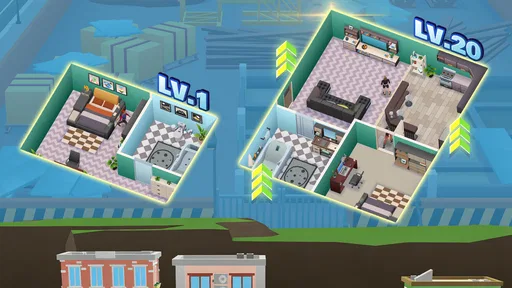
What I love about this game is the balance between idle and active gameplay. While the game does most of the work for you, there’s still plenty of room for strategy. As your properties generate income, you can invest in upgrades to boost your earnings. There’s a satisfying sense of progression as you watch your profits grow and your empire expand.
One of the coolest features is the ability to hire managers. These guys are lifesavers, automating the rent collection and property upgrades. It’s a clever way to keep the cash flowing even when you’re not actively playing. Trust me, once you start hiring managers, there’s no going back!
Visuals and Sound
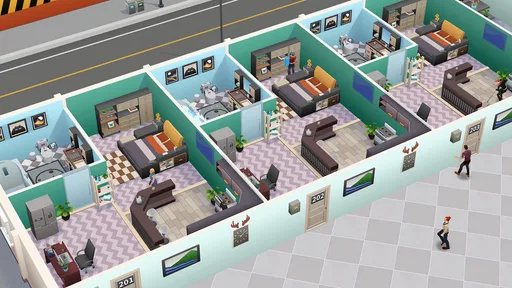
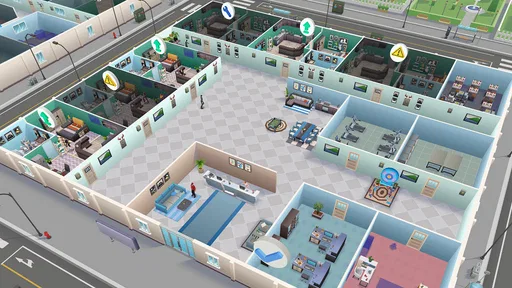
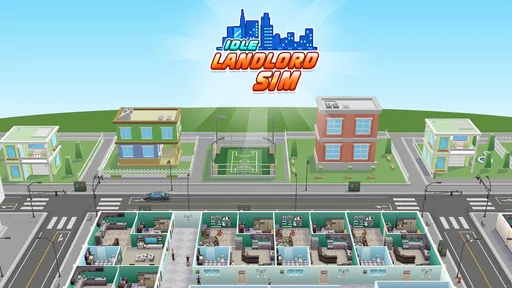
The game’s graphics are colorful and charming, with a cartoony style that’s easy on the eyes. Each property has its unique design, adding a nice touch of variety as you expand your empire. The sound effects are pleasant without being intrusive, and there’s a catchy little soundtrack that keeps you tapping along.
Ads, purchases, and control of spending
The game is free to play and rated for Everyone, which makes it easy to try, though that rating is not a substitute for an adult’s judgement about a particular child’s screen time or spending habits. Its optional in-app purchases range from $0.99 to $99.99 per item, so I would set clear purchase expectations before handing over a shared device. If a child is playing, use the device’s purchase-approval or spending controls where available rather than relying on a verbal rule alone.
The original play experience described here includes ads that can be watched for bonuses. I see that as a choice rather than a requirement: if you are happy with a slower pace, you can simply skip an ad opportunity; if a bonus matters to you, consider whether the extra time spent watching is worth the acceleration. On a household device, it helps to make that choice explicit so one player does not use another person’s time or mobile data without asking.
The listed purchase range is broad enough that I would treat any payment as a deliberate decision, not an expected part of the loop. Before buying, ask what the purchase changes for your own play: does it solve a specific annoyance, or are you paying mainly to make a relaxed game move faster? For me, the latter is a weak reason to spend, especially when the game’s appeal is watching gradual progress. The free starting point is a sensible way to judge whether the routine holds your interest first.
Coordination without turning play into a chore
If more than one person in the home likes the game, the easiest coordination is conversational: agree on who is playing, what they are aiming to improve, and whether anyone else is allowed to make taps. A brief handoff can be enough—“I collected rent, but I left the upgrade choice for you”—rather than trying to make every decision together. The game’s incremental format can prompt friendly discussion, but it does not automatically make two people’s progress a cooperative project.
For siblings or partners with different tastes, separate play routines are often kinder than sharing one running session. One person may enjoy optimizing upgrades, while another just wants to check the business casually. Those are different expectations, and a shared device can blur them. I would let each player choose their own pace instead of asking the more engaged person to manage progress for everyone.
There is also a practical reason to keep the session short and intentional: an idle game can invite frequent checking because there is always another bit of progress to collect. I would choose a natural stopping point—after collecting income or making a planned upgrade—and then close the game. That preserves the sense of a small reward without letting the repeated loop take over a family break or shared evening.
Where it sits among simulation games
Compared with hands-on management simulations, this one asks for less continuous attention. You are not expected to spend every moment micromanaging a detailed property operation; the pleasure is in seeing income build and choosing upgrades as you return. That makes it more approachable than a dense tycoon game, but it also means players who want complex systems, extensive planning, or constant strategic pressure may find the decisions light.
Against other idle games, its landlord framing gives the progress a more concrete theme than a generic stream of numbers: property growth and rent collection are easy to understand at a glance. The trade-off is that the repeated collect-and-upgrade rhythm can still feel familiar if you have played several idle titles. If you are choosing between this and a simulation with a richer management layer, ask whether you want a calm background loop or a game that keeps presenting new problems to solve. For the first, this is the more comfortable fit; for the second, a deeper management sim is likely to hold your attention better.
It is also worth separating “idle” from “effortless.” You can leave the game alone for stretches, but the active part still depends on returning to collect and decide what to improve. If you prefer games that offer a complete experience in a single sitting, a level-based puzzle or a short arcade game may be a better match. This is more appealing to someone who likes a continuing project that can be picked up and put down.
How to decide whether the routine suits you
I would recommend it most to players who enjoy visible incremental growth, uncomplicated controls, and the option to check in briefly. It can also suit someone new to simulation games because the basic goal is immediately legible: earn, improve, expand. The 4.8 average from around 15,000 ratings and more than a million installs suggest that many players have taken to it, though popularity alone cannot tell you whether its pace matches your taste.
I would skip it if your main priority is a strong narrative, direct competition, or a deep set of decisions that keep changing from one session to the next. It may also be a poor fit if you know that ad offers, optional purchases, or frequent progress checks tend to distract you. A slower, less monetized-feeling single-player game—or a more hands-on management title—could be a better choice depending on what you want from your phone.
If you are wondering whether it is suitable for a first idle game, I think the approachable property-and-rent idea makes it easy to understand. If your concern is whether you need to spend, the game is free to start and its purchases are optional, so I would try the ordinary loop before considering any payment. If you are deciding whether to share it with a child, the Everyone rating is a useful age label, but it does not answer questions about your household’s rules for ads, spending, or screen time; those still need a parent or guardian’s judgement.
Visuals and sound
The game’s graphics are colorful and charming, with a cartoony style that’s easy on the eyes. Each property has its unique design, adding a nice touch of variety as you expand your empire. The sound effects are pleasant without being intrusive, and there’s a catchy little soundtrack that keeps you tapping along.
Challenges and events
If you’re worried about the game becoming repetitive, fear not! Idle Landlord Sim spices things up with regular events and challenges. These are a fantastic way to earn extra rewards and keep the gameplay fresh. Plus, who doesn’t love a good challenge to test their strategic skills?
Community and support
Another plus is the active community surrounding the game. Whether you’re looking for tips or just want to show off your empire, there are plenty of forums and social media groups to join. The developers seem pretty responsive too, so any bugs or issues get addressed swiftly.
Practical details before you install
Warrior Game lists version 2.1.6, with Android 7.0 as the minimum operating system requirement. The game is free to download, and the listed age rating is Everyone. It was released on March 7, 2025, and is described as a simulation game rather than a property-management tool; I would approach it as entertainment, not as advice about real estate or money.
One small but useful habit is to decide what you want from each visit before opening it: collect and leave, or collect and make one considered upgrade. That keeps the game from turning into aimless tapping and makes it easier to stop. If the game is on a device used by several people, check who is signed in and who controls purchases before anyone begins. Those simple boundaries matter more than trying to coordinate every tap.
Final Thoughts
All in all, Idle Landlord Sim is a delightful blend of strategy and idle gaming. It’s perfect for those moments when you want to relax but still feel like you’re achieving something. Whether you’re a seasoned idle game player or a newbie, there’s plenty to enjoy here. So why not give it a try and see if you’ve got what it takes to become the ultimate landlord?
If you’re ready to dive into this world of real estate fun, you can download Idle Landlord Sim on both Android and iOS. Happy renting!
Pros
- Engaging gameplay with minimal time investment.
- User-friendly interface and intuitive controls.
- Frequent updates with new features and content.
- Offline earning capabilities enhance progress.
- Diverse property options for varied strategies.
Cons
- Ads can be intrusive and disrupt gameplay.
- Limited customization for building designs.
- In-app purchases can be expensive.
- Progression can feel slow without spending.
- Occasional bugs affect game performance.
FAQs for Idle Landlord Sim
What is Idle Landlord Sim?
Idle Landlord Sim is a mobile simulation game where players take on the role of a real estate mogul. The objective is to buy, upgrade, and manage properties to earn passive income. The game offers a mix of strategy and idle gameplay, allowing players to expand their property empire without constant interaction.
Is Idle Landlord Sim free to play?
Yes, Idle Landlord Sim is free to download and play. However, it contains in-app purchases that can enhance the gaming experience. Players can choose to buy additional coins, property upgrades, or special features, but these purchases are optional and not required to enjoy the game.
What are the main features of Idle Landlord Sim?
Idle Landlord Sim features a variety of properties to purchase and upgrade, each with unique characteristics and challenges. The game also includes daily missions, achievements, and leaderboards. Players can enjoy strategic planning, passive income generation, and engaging graphics that enhance the overall experience.
Can I play Idle Landlord Sim offline?
Idle Landlord Sim requires an internet connection for certain features, such as leaderboards and cloud saves. However, the core gameplay can be enjoyed offline, allowing you to manage your properties and earn income without being connected to the internet continuously.
Are there any strategies to succeed in Idle Landlord Sim?
To succeed in Idle Landlord Sim, focus on upgrading properties to maximize income and strategically invest in new locations. Balancing upgrades and expansion is key. Completing daily missions and achievements can provide valuable rewards, and regularly checking in on your properties will ensure optimal earnings.


